Ensuring PCI Compliance for Your WooCommerce Store

In the world of e-commerce, protecting customer payment information is crucial for any business. If you run a WooCommerce store, ensuring your site is PCI compliant is essential not only for safeguarding sensitive data but also for maintaining your reputation and avoiding costly penalties. Achieving and maintaining PCI compliance might seem overwhelming, but that’s where our company, NDIC, steps in. We can handle the process for you, ensuring your WooCommerce store is fully compliant, so you can focus on running your business worry-free.

What is PCI Compliance?

The Payment Card Industry Data Security Standard (PCI DSS) is a set of guidelines designed to ensure that all companies that accept, process, store, or transmit credit card information maintain a secure environment. These standards are crucial for preventing data breaches and protecting customer payment data from being compromised.

For businesses using WooCommerce, PCI compliance is especially important because your site is handling customer credit card details directly. WooCommerce is a powerful e-commerce platform, but like any online store that handles transactions, it must meet PCI DSS requirements to ensure data security.

Why PCI Compliance is Important for Your WooCommerce Store

1. Protecting Customer Data

One of the primary reasons for PCI compliance is to protect customer data. When customers make purchases on your WooCommerce site, they trust you to handle their sensitive credit card information securely. PCI compliance ensures that you have the necessary safeguards in place to prevent unauthorized access, data breaches, and theft.

A data breach could have devastating consequences for your business. If customer information is compromised, it can lead to a loss of trust, a damaged reputation, and potential legal ramifications. Ensuring PCI compliance helps to mitigate these risks, giving both you and your customers peace of mind.

2. Avoiding Fines and Penalties

Non-compliance with PCI standards can result in significant fines and penalties. If your WooCommerce store is found to be in violation of PCI DSS, you could face some penalties, depending on the severity and duration of non-compliance. These fines can quickly add up, placing a huge financial burden on your business.

Additionally, non-compliance could result in higher transaction fees from your payment processors or even the suspension of your ability to process credit card payments altogether. By ensuring your WooCommerce store is PCI compliant, you avoid these costly penalties and keep your business running smoothly.

3. Enhancing Customer Trust

In today’s e-commerce landscape, customers are increasingly aware of data privacy and security. They want to know that their personal and financial information is safe when they make online purchases. Displaying PCI compliance on your WooCommerce store shows your customers that you take data security seriously and are committed to protecting their information.

When customers feel confident that their data is safe, they are more likely to complete transactions and return to your site for future purchases. PCI compliance not only protects your business from risks but also enhances customer trust, which can lead to increased sales and long-term customer loyalty.

4. Ensuring Business Continuity

A data breach or security incident can lead to downtime for your WooCommerce store, affecting your ability to process orders and serve customers. In some cases, businesses have to suspend operations temporarily while they address security vulnerabilities, leading to lost revenue and frustrated customers.

By adhering to PCI compliance standards, you reduce the likelihood of a security breach, helping to ensure business continuity. Your store remains operational, transactions continue smoothly, and your customers stay happy.

SSL certificate for PCI compliance

Steps to Achieve PCI Compliance for Your WooCommerce Store

Ensuring PCI compliance involves several steps, from securing your hosting environment to implementing encryption protocols and monitoring your systems for potential vulnerabilities. Some key components include:

  • Using a Secure Hosting Provider: Make sure your hosting environment is PCI compliant. This involves using secure servers, firewalls, and regular software updates to protect against vulnerabilities.
  • SSL Certificates: Secure Sockets Layer (SSL) certificates ensure that data transmitted between your website and your customers is encrypted. This is a critical component of PCI compliance.
  • Tokenization and Encryption: Use tokenization and encryption technologies to protect customer payment data during transactions.
  • Regular Security Audits: Conduct regular security audits to identify potential vulnerabilities and ensure your site meets PCI requirements.
  • Restricting Data Access: Limit access to sensitive data by only allowing authorized personnel to view or process payment information.

Let NDIC Handle Your PCI Compliance

Achieving and maintaining PCI compliance can be a complex process, especially if you’re running an e-commerce business and have other responsibilities to manage. That’s where NDIC comes in. Our team of experts specializes in WooCommerce stores and understands the ins and outs of PCI compliance. We can handle everything from securing your hosting environment to conducting security audits, ensuring that your store meets all PCI requirements.

Why Choose NDIC?

  1. Expertise: We have years of experience working with WooCommerce stores, and we stay up-to-date with the latest PCI DSS standards and security best practices.
  2. Comprehensive Solutions: NDIC provides end-to-end solutions for PCI compliance, so you don’t have to worry about any part of the process. From securing your site to monitoring for potential threats, we’ve got you covered.
  3. Peace of Mind: With NDIC managing your PCI compliance, you can focus on growing your business, knowing that your site is secure and compliant with all regulations.

Conclusion

Ensuring PCI compliance for your WooCommerce store is not just a legal requirement; it’s an essential part of protecting your customers, maintaining their trust, and safeguarding your business from costly fines and data breaches. At NDIC, we make PCI compliance easy. Let us handle the technical details, so you can focus on what matters most—running your business.

Get in touch with us today to learn how we can help ensure your WooCommerce store is PCI compliant, secure, and worry-free.

The Importance of High-Quality Product Images in eCommerce

In the highly competitive world of eCommerce, first impressions are crucial. High-quality images can significantly enhance the overall user experience, improve product perception, and ultimately boost conversion rates.

Why High-Quality Product Images Matter

Visual Appeal Drives Conversions

When customers browse online, they don’t have the luxury of touching, feeling, or trying products before purchasing. This is where high-quality product images come in. These images provide a virtual experience, giving customers a clear idea of what to expect. Bold and crisp images can make a product stand out, enhance its appeal, and create a sense of desire.

Building Trust and Credibility

Trust is a key component of any successful eCommerce business. Blurry or poorly lit images can make products look unprofessional and raise doubts in customers’ minds about the quality of the product or the reliability of the seller. Conversely, high-quality images instill confidence and build credibility. They convey that the business cares about presentation and, by extension, the customer experience.

Showcasing Product Details to improve user experience

One of the significant advantages of high-quality product images is their ability to showcase details. Whether it’s the intricate design of a piece of jewelry, the texture of a fabric, or the features of a gadget, detailed images provide customers with the information they need to make an informed decision. Zoom functionality, which is often supported by high-resolution images, allows customers to examine products closely, further enhancing their shopping experience. Visually appealing websites create a more engaging and enjoyable shopping experience for customers.

product images with details for ecommerce

Better Search Engine Optimization (SEO)

Images can improve your website’s search engine rankings when optimized with relevant keywords and alt text, so don’t forget to name your image files before you upload them to your website. Use descriptive alt text for your images to improve accessibility.  Optimization is also a factor, so take care of the size of the images, specially if there will be plenty of them, we don’t want performance to be affected.

Tips for Choosing and Using Images in eCommerce


Choosing the Right Image Format

When it comes to product images, the format plays a crucial role in balancing quality and load times. JPEG is widely used for its ability to compress images without significant loss of quality, making it ideal for eCommerce. PNG is another popular format, especially when transparency is required, but it tends to result in larger file sizes. For WordPress users, optimizing images through plugins like Smush or ShortPixel can ensure that images load quickly without sacrificing quality.

Multiple Angles and Views

Offering multiple angles of a product can significantly improve the shopping experience. Customers want to see a product from all sides to better understand its shape, size, and functionality. Choose images that are directly related to your products and provide valuable information to customers. Incorporating 360-degree views or interactive images where customers can rotate the product can further enhance engagement. This approach mimics the in-store experience, allowing for a more comprehensive understanding of the product.

Consistency Across Your Store

Consistency is key to creating a professional-looking online store. This means using the same background, lighting, and image size for all product images. A consistent style not only enhances the aesthetic appeal of your store but also makes it easier for customers to compare products. For WooCommerce users, setting uniform image dimensions across all products can be easily managed within the platform’s settings.

High-Resolution Images with Optimal Size

Ensure that your images are of high quality and have sufficient resolution to display clearly on different devices but don’t forget to optimize your images for web use to reduce loading times and improve website performance, speed sells!

Reducing Returns and Complaints with accurate images

One of the hidden costs of eCommerce is the high return rate often associated with online shopping. Many returns are due to customers receiving products that do not meet their expectations. High-quality, accurate images can reduce the likelihood of returns by ensuring that customers know exactly what they are buying. When images accurately represent the product, there’s less room for disappointment and fewer reasons for customers to initiate returns or complaints.

Tips for Choosing and Using Images in eCommerce

Conclusion

By following these guidelines and incorporating high-quality images into your eCommerce website, you can create a more visually appealing and engaging shopping experience for your customers. They are the first thing customers see and play a crucial role in their decision-making process.

For those running their stores on WordPress or WooCommerce, investing time and resources into creating and optimizing your product images will pay off in the form of increased trust, higher conversions, and fewer returns.

Remember, a picture is worth a thousand words, so make every image count.

WooCommerce Pricing Hacks to Boost Your Sales

Setting the right price for your products can be the difference between a thriving eCommerce store and one that struggles to generate sales. As a WooCommerce store owner, understanding how to effectively price your products is crucial. WooCommerce offers various pricing models and strategies to help you maximize your profits while keeping your customers satisfied. In this article, we’ll explore WooCommerce pricing hacks that can boost your sales, ensuring you stay ahead in the competitive online marketplace.

Understanding WooCommerce Pricing Models

What Pricing Models Does WooCommerce Offer?

WooCommerce provides a range of pricing models to suit different types of products and business strategies. Understanding these pricing options will help you choose the best model for your store. Here are the main pricing models available in WooCommerce:

  • Simple Product Pricing: The most straightforward pricing model, where you set a fixed price for each product. This model is ideal for stores with a consistent product lineup and clear pricing strategy.
  • Variable Product Pricing: This model allows you to set different prices for variations of the same product, such as different sizes, colors, or customizations. It’s perfect for stores offering customizable products.
  • Dynamic Pricing: With dynamic pricing, you can create rules that adjust prices based on conditions like customer roles, order quantities, or purchase history. This model is useful for stores that want to offer personalized pricing or bulk discounts.
  • Tiered Pricing: WooCommerce allows you to offer discounts based on the quantity of items purchased. This model encourages bulk buying and can help increase your average order value.
  • Subscription Pricing: If you sell products or services that require recurring payments, subscription pricing is the way to go. WooCommerce’s subscription model lets you set up automatic billing, providing a steady revenue stream.

Why Choosing the Right Pricing Model Matters

Choosing the appropriate pricing model is essential because it directly impacts your store’s profitability and customer satisfaction. The right pricing model can help you attract the right audience, encourage repeat purchases, and build customer loyalty. On the other hand, a poorly chosen pricing strategy can lead to lost sales, frustrated customers, and missed opportunities for growth.

Now that we’ve covered the basics of WooCommerce pricing models, let’s dive into some practical WooCommerce pricing hacks that can help you boost your sales and maximize profits.

Understanding WooCommerce Pricing Models

WooCommerce Pricing Hacks to Increase Sales

1. Leverage Dynamic Pricing to Offer Personalized Discounts

Dynamic pricing is a powerful tool that allows you to offer personalized discounts based on specific conditions. For example, you can create a rule that offers a discount to customers who have made multiple purchases or to those who buy in bulk. This personalized approach not only incentivizes repeat purchases but also makes your customers feel valued.

To implement dynamic pricing in WooCommerce, you can use plugins like WooCommerce Dynamic Pricing & Discounts. These plugins allow you to set up complex pricing rules with ease, ensuring that your customers always get the best deal.

2. Implement Tiered Pricing to Encourage Bulk Purchases

Tiered pricing is an excellent strategy for increasing your average order value. By offering discounts based on the quantity purchased, you encourage customers to buy more. For instance, you could offer a 5% discount for purchasing 5 items, 10% for 10 items, and so on.

WooCommerce makes it easy to set up tiered pricing using plugins like WooCommerce Advanced Pricing. This approach works particularly well for products that are commonly bought in multiples, such as consumables or accessories.

3. Utilize Psychological Pricing Techniques

Psychological pricing is a technique that leverages human psychology to make prices more appealing. Common methods include setting prices just below a round number (e.g., $9.99 instead of $10) or using phrases like “Only” or “Just” before the price.

Implementing psychological pricing on your WooCommerce store can subtly influence your customers’ perception of value, leading to increased conversions. Ensure your pricing aligns with your brand image and customer expectations to maximize the effectiveness of this technique.

4. Offer Time-Limited Discounts and Flash Sales

Creating a sense of urgency is a proven way to boost sales. Time-limited discounts and flash sales tap into the fear of missing out (FOMO), prompting customers to make a purchase before the offer expires.

In WooCommerce, you can easily set up flash sales and time-limited discounts using the WooCommerce Sales Countdown Timer plugin. Highlighting these offers on your homepage or through pop-ups can grab your visitors’ attention and drive immediate action.

5. Bundle Products for a Higher Perceived Value

Product bundling involves combining several products and selling them at a discounted price. This strategy not only increases the perceived value of the bundle but also helps move less popular items by pairing them with best-sellers.

WooCommerce allows you to create product bundles with plugins like WooCommerce Product Bundles. Bundling related products encourages customers to purchase more items at once, boosting your sales and clearing out inventory.

6. A/B Test Your Pricing Strategies

A/B testing involves comparing two versions of a pricing strategy to determine which performs better. For example, you could test whether a $19.99 price point converts better than a $20 price point. Over time, A/B testing can help you refine your pricing strategies and maximize sales.

Utilize tools like Google Optimize or dedicated WooCommerce A/B testing plugins to run experiments and gather data on what pricing strategies work best for your audience.

A/B Test Your Pricing Strategies

Conclusion

Optimizing your WooCommerce pricing strategy is a critical step in boosting your online sales. By leveraging dynamic pricing, tiered pricing, psychological pricing techniques, and time-limited offers, you can create a compelling pricing structure that appeals to your customers and drives revenue.

Remember, A/B testing is key to refining your strategies and discovering what works best for your unique audience. Whether you’re already hosting with NDIC or considering our services, implementing these WooCommerce pricing hacks will position your store for success in a competitive market.

Contact us if you need help with your pricing implementations!

The Best WordPress Plugins – 2024 Edition

WordPress is a powerful platform that allows you to create and manage a wide variety of websites, from personal blogs to fully-fledged eCommerce stores. One of the reasons for its popularity is the extensive range of plugins available, which can enhance your site’s functionality and performance. Whether you’re a new user or an experienced WordPress webmaster, choosing the right plugins is essential for achieving your site’s goals. In this article, we’ll explore the best WordPress plugins for 2024, categorized by functionality, and highlighting whether they are free or paid.

Essential WordPress Plugins for Security

1. Wordfence Security (Free and Paid)

Security is a top priority for any website owner, and Wordfence Security is one of the best plugins available to protect your WordPress site. Wordfence offers a comprehensive suite of tools, including firewall protection, malware scanning, and login security features.

  • Free Version: Offers basic protection, including firewall and malware scans.
  • Paid Version: Provides advanced features such as real-time IP blocking, country blocking, and a premium support option.

2. Solid Security Pro (Paid)

Solid Security Pro is a robust security plugin designed to offer enterprise-level protection for WordPress sites. It provides advanced features such as two-factor authentication, brute force attack prevention, and real-time monitoring. The plugin also includes security audits and malware scanning, ensuring your site is protected from emerging threats.

  • Paid Version Only: Includes comprehensive security features, real-time monitoring, and priority support, making it ideal for businesses and high-traffic websites.

3. Simple History (Free)

Simple History is a handy plugin that logs changes made to your WordPress site, including updates, content changes, and user activities. This plugin is particularly useful for tracking who made changes and when, making it easier to monitor and maintain site security.

  • Free Version: Provides detailed logs of all changes on your site, with easy-to-read summaries and filtering options.
Essential WordPress Plugins for Security

Best Plugins for SEO

1. Yoast SEO (Free and Paid)

When it comes to SEO, Yoast SEO is a must-have plugin. It helps you optimize your site for search engines by providing keyword optimization, readability analysis, and sitemap creation.

  • Free Version: Offers essential SEO tools, including keyword optimization and readability checks.
  • Paid Version: Includes advanced features such as multiple keyword optimization, social media previews, and internal linking suggestions.

2. Rank Math (Free and Paid)

Rank Math is another top-tier SEO plugin that has gained popularity for its user-friendly interface and comprehensive feature set. It offers a range of SEO tools, from keyword optimization to schema markup and more.

  • Free Version: Provides a robust set of SEO tools, including keyword tracking and Google Search Console integration.
  • Paid Version: Unlocks advanced features like AI-based content analysis, local SEO tools, and premium support.

3. Redirection (Free)

Redirection is a powerful plugin that helps you manage 301 redirects and keep track of 404 errors. It’s essential for maintaining your site’s SEO health, especially after making changes to your URLs or content structure. This is one of the plugins we use at NDIC after a website migration or redesign, to make sure we don’t leave any loose ends and all former URL have a new path.

  • Free Version: Includes easy-to-use tools for setting up redirects and monitoring 404 errors.
Redirection plugin for wordpress

Essential Plugins for Performance Optimization

1. WP Rocket (Paid)

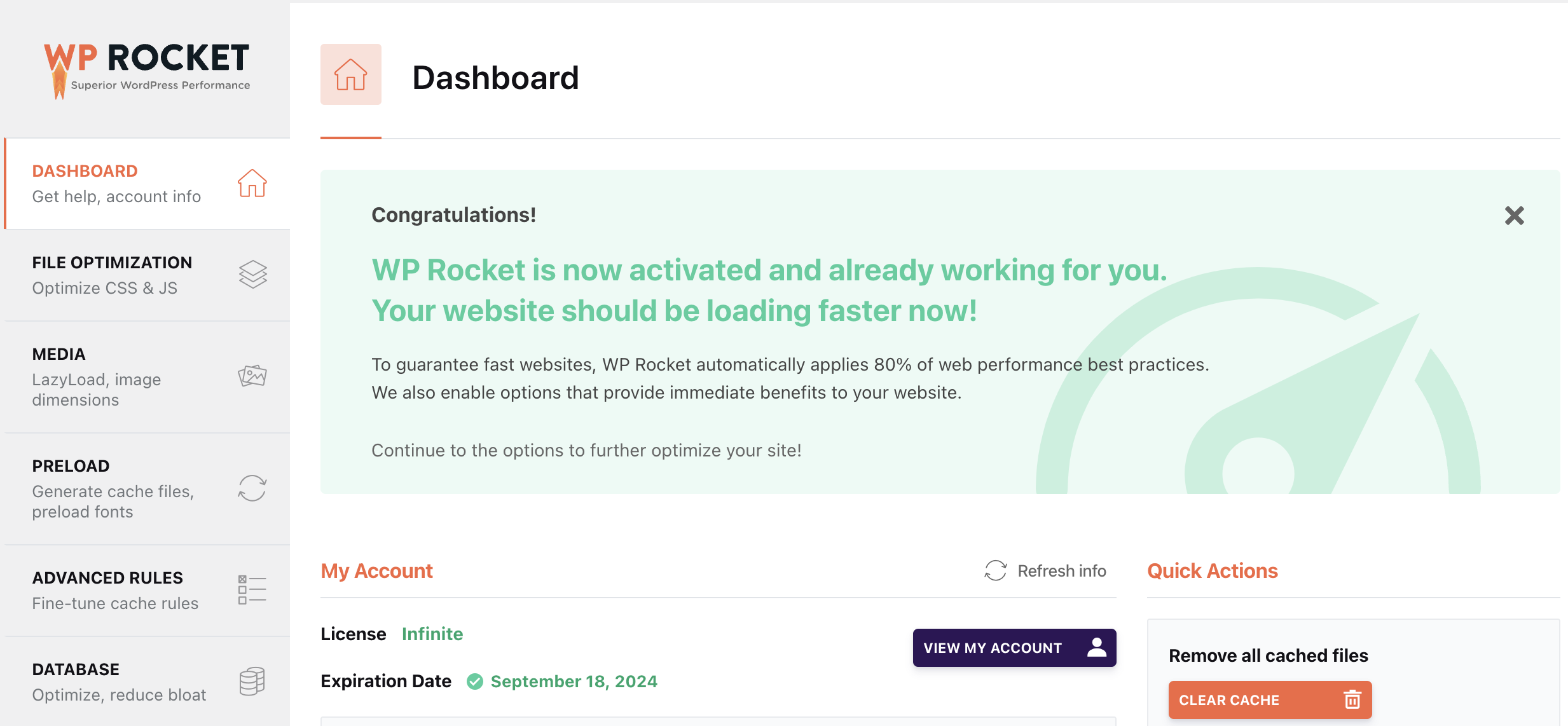
WP Rocket is one of the most popular performance optimization plugins for WordPress. It helps speed up your website by enabling caching, reducing the size of your HTML, CSS, and JavaScript files, and optimizing your database.

  • Paid Version Only: Includes all features, such as page caching, cache preloading, and lazy loading images.

2. W3 Total Cache (Free and Paid)

W3 Total Cache is a powerful caching plugin that improves your website’s performance by reducing load times. It offers features like page caching, database caching, and object caching.

  • Free Version: Includes basic caching features that significantly improve site speed.
  • Paid Version: Offers additional features like fragment caching and enhanced support.

3. LiteSpeed Cache (Free)

LiteSpeed Cache is another excellent performance plugin that offers server-level caching and a host of optimization features. If you’re hosting your site on a LiteSpeed server, this plugin is especially effective for speeding up your site.

  • Free Version: Offers advanced caching and optimization features, including image optimization, minification, and database cleaning.
WPRocket plugin

Top Plugins for WooCommerce (eCommerce)

1. WooCommerce (Free and Paid Extensions)

WooCommerce is the go-to plugin for turning your WordPress site into a full-fledged online store. It offers a wide range of features, including product management, payment gateways, and shipping options.

  • Free Version: Includes all the basic features needed to run an online store, such as product listings, shopping cart, and checkout.
  • Paid Extensions: Expand WooCommerce’s functionality with features like subscription management, dynamic pricing, and enhanced analytics.

2. YITH WooCommerce Wishlist (Free and Paid)

YITH WooCommerce Wishlist is a powerful plugin that allows your customers to create and share wishlists on your WooCommerce store. This feature can increase customer engagement and sales, especially during the holiday season.

  • Free Version: Offers basic wishlist functionality, allowing customers to add and manage products.
  • Paid Version: Adds features like multiple wishlists, promotional email integration, and customizable design options.

Must-Have Plugins for Content Management

1. Elementor (Free and Paid)

Elementor is a popular page builder plugin that allows you to create stunning pages and layouts without needing to write code. With its drag-and-drop interface, you can design custom pages in minutes.

  • Free Version: Offers a wide range of widgets and templates to create professional-looking pages.
  • Paid Version: Includes advanced features like the Theme Builder, WooCommerce Builder, and Motion Effects.

2. Advanced Custom Fields (ACF) (Free and Paid)

Advanced Custom Fields is a powerful plugin that allows you to add custom fields to your WordPress posts, pages, and custom post types. This is ideal for developers looking to create highly customized websites.

  • Free Version: Includes basic field types and functionalities.
  • Paid Version: Offers additional field types, repeater fields, and flexible content fields.

3. WP Boom (Free and Paid)

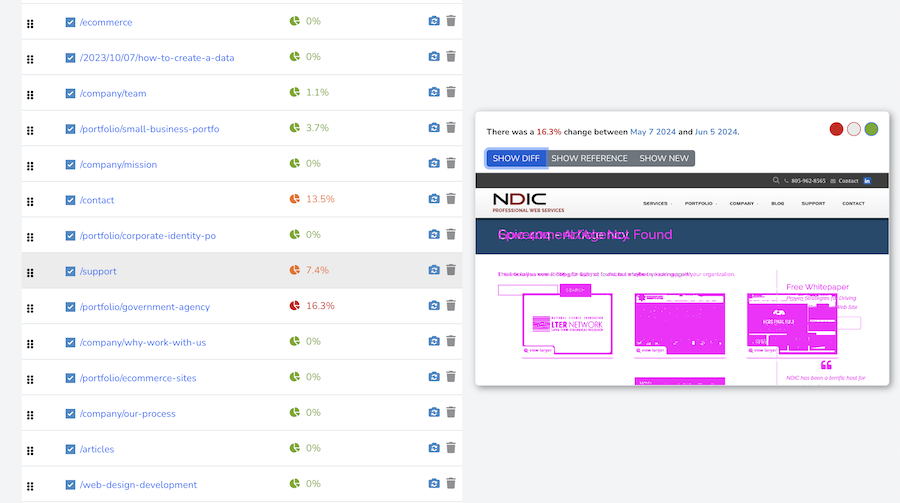
WP Boom is a relatively new plugin that allows you to evaluate visual changes on your site after updating plugins or the WordPress core. This plugin is particularly useful for developers and site managers who want to ensure that updates don’t negatively impact the site’s design or functionality.

  • Free Version: Includes snapshot comparison for 2 websites
  • Paid Version: There are multiple pricing options if you need to analyze more than 3 websites.
WP boom - visual comparison tool

Best Plugins for Analytics and Tracking

1. Site Kit by Google (Free)

Site Kit is the official Google plugin for WordPress, offering a comprehensive solution for integrating Google Analytics, Search Console, AdSense, and other Google services. It provides insights directly on your WordPress dashboard, making it easier to track your site’s performance.

  • Free Version: Includes integration with Google Analytics, Search Console, and other Google tools, with insights displayed on your dashboard.

Conclusion

Choosing the right plugins is essential for building and maintaining a successful WordPress website. Whether you’re focused on security, SEO, performance optimization, eCommerce, or analytics, the plugins mentioned above offer the best solutions for your needs in 2024. While some of these plugins are available for free, investing in their paid versions can unlock additional features that can further enhance your site’s functionality.

Whether you’re a current NDIC client or considering our hosting services, incorporating these plugins into your WordPress site will help you stay competitive and efficient in managing your online presence. Let us know if you need one of the previously mentioned plugins, but remember we can also create custom code solutions for your online store.

The Mobile eCommerce Trends to Watch in 2024

As mobile eCommerce continues to dominate the digital landscape, staying ahead of emerging trends is crucial for businesses. Mobile shopping is not just a convenience anymore—it’s a necessity for modern consumers. In this article, we’ll explore the key mobile eCommerce trends to watch in 2024 and how you can leverage these trends to enhance your WordPress website, ensuring it stays competitive in the fast-evolving online marketplace.

The Rise of Mobile-First Shopping Experiences

Why Mobile-First is Critical

In 2024, mobile-first design is no longer an option; it’s a must. With over 70% of eCommerce traffic coming from mobile devices, optimizing your website for mobile users is imperative. This includes responsive design, fast loading times, and intuitive navigation tailored for smaller screens. If your WordPress website isn’t mobile-friendly, you risk losing a significant portion of your potential customers.

Underlining the importance of a mobile-first strategy, consider how Google’s mobile-first indexing now prioritizes the mobile version of your website over the desktop version. A poorly optimized mobile site can negatively impact your SEO, lowering your search engine rankings and decreasing organic traffic.

How to Optimize Your WordPress Site for Mobile

  • Choose a mobile-responsive theme. Many WordPress themes are designed to adapt seamlessly to different screen sizes. This will not be a problem for us, since we use custom made themes for each client.
  • Implement AMP (Accelerated Mobile Pages). AMP optimizes your site for faster loading on mobile devices.
  • Test your website on multiple devices. Ensure that the user experience is consistent across various mobile platforms. Every time NDIC concludes a new website we perform QA but it is important that our clients do a double check as well.

The Growth of Mobile Payment Options

The Expansion of Digital Wallets

Digital wallets like Apple Pay, Google Wallet, and Samsung Pay are becoming increasingly popular, with mobile payments projected to surpass $1 trillion globally by 2024. The integration of digital wallets into your WordPress eCommerce site can streamline the checkout process, reducing cart abandonment rates and increasing conversions.

Integrating Mobile Payments into WordPress

For WordPress users, integrating mobile payment options is straightforward:

  • Ensure PCI compliance. Protect customer data by ensuring your payment gateway complies with the Payment Card Industry Data Security Standard (PCI DSS). At NDIC we help our clients navigate PCI compliance and successfully pass the test.
  • Use WooCommerce or other eCommerce plugins. Many of these plugins support mobile payments out-of-the-box.
  • Enable one-click payments. Simplify the checkout process by allowing customers to pay with just one click using their preferred digital wallet.
Mobile Payment Options and digital wallets trends

The Importance of Personalized Mobile Shopping

AI and Machine Learning in Mobile eCommerce

In 2024, personalization will continue to drive mobile eCommerce growth. Consumers expect tailored shopping experiences based on their preferences, browsing history, and previous purchases. Leveraging AI and machine learning on your WordPress site can help deliver personalized content, product recommendations, and offers that resonate with individual customers.

AI-powered chatbots are another trend gaining traction. These bots can provide real-time assistance to mobile shoppers, guiding them through the purchasing process and answering any questions they may have. Integrating a chatbot into your WordPress site can significantly enhance the user experience and increase sales. Just remember it is as important to have the right team behind to follow up on all your leads.

Enhancing Personalization on Your WordPress Site

To enhance personalization on your WordPress site:

  • Incorporate AI-driven plugins. Plugins like Jetpack’s “Related Posts” or WooCommerce’s “Product Recommendations” can help you personalize content and product suggestions.
  • Utilize customer data. Analyze customer behavior and use this data to tailor your marketing efforts.
  • Create personalized email campaigns. Use tools like Mailchimp to send targeted email campaigns based on customer preferences and past interactions.

The Role of Voice Commerce in Mobile Shopping

The Impact of Voice Search on eCommerce

Voice commerce, driven by AI-powered assistants like Siri, Alexa, and Google Assistant, is set to revolutionize how consumers shop online. By 2024, voice search is expected to account for 50% of all searches, making it a crucial aspect of mobile eCommerce.

Optimizing Your WordPress Site for Voice Search

To optimize your WordPress site for voice search:

  • Focus on long-tail keywords. Voice searches tend to be more conversational, so optimize your content with natural language phrases, we no longer speak like caveman.
  • Improve site speed. Voice search users expect quick answers, so ensure your site loads rapidly on mobile devices.
  • Create structured data. Use schema markup to help search engines understand your content better, increasing the chances of being featured in voice search results.

Conclusion

As we move further into 2024, staying ahead of mobile eCommerce trends is essential for any business looking to thrive in the digital space. By focusing on mobile-first design, integrating mobile payment options, personalizing the shopping experience, and optimizing for voice search, you can ensure your WordPress site remains competitive and continues to attract and retain mobile shoppers.

Whether you’re already hosting with NDIC or considering our services, keeping your WordPress website aligned with these trends will position your business for success in the ever-evolving world of mobile eCommerce.

Give us a ring if you need a quote or have any questions. We’ll be happy to help you grow your business!

WooCommerce Discounts and Coupons: Strategies for Boosting Sales

The Power of Discounts and Coupons in E-Commerce

In the ever-competitive landscape of online retail, leveraging WooCommerce discounts and coupons is a strategic move to capture consumer attention, drive sales, and foster customer loyalty. This guide explores the art and science of using discounts and coupons effectively on your WooCommerce store. From understanding the psychology behind discounts to implementing creative marketing strategies, this article will equip you with the insights needed to boost sales and create a buzz around your online store.

The Psychology of Discounts: Why Shoppers Love a Good Deal

1. The Appeal of Discounts:
Examine the psychological factors that make discounts irresistible to shoppers. Understanding the consumer mindset is key to crafting effective discount strategies.

2. The Science of Pricing:
Explore pricing strategies that incorporate discounts, such as odd-even pricing and bundling, to maximize the perceived value for customers.

Types of Discounts and Coupons in WooCommerce

1. Percentage Discounts:
Discover how percentage discounts can be applied to individual products, categories, or the entire cart to incentivize larger purchases.

2. Fixed Amount Discounts:
Understand the versatility of fixed amount discounts and how they can be employed to encourage specific buying behaviors.

3. BOGO (Buy One, Get One):
Explore the effectiveness of BOGO offers in clearing inventory, promoting new products, and increasing the average order value.

4. Free Shipping Coupons:
Adding free shipping coupons can reduce cart abandonment rates. Calculate if you need a minimum amount or certain rules to give this coupon out and measure its results.

Free Shipping Coupons in online store

Crafting Effective Discount and Coupon Strategies

1. Limited-Time Offers: Creating Urgency
Discover how limited-time offers can create a sense of urgency, prompting customers to make quicker purchasing decisions.

2. Loyalty Programs: Rewarding Repeat Customers
Implement loyalty programs that encourage repeat business through exclusive discounts, early access to sales, or points-based systems.

3. Email Marketing Campaigns: Targeted Outreach
Leverage email marketing to deliver personalized discount offers, exclusive coupons, and special promotions directly to your audience.

4. Social Media Contests: Building Buzz
Engage your social media audience with contests and giveaways, offering discounts as prizes to increase brand visibility.

Dynamic Pricing: Tailoring Discounts for Individual Customers

1. Understanding Dynamic Pricing:
Delve into the concept of dynamic pricing, where discounts are personalized based on customer behavior, purchase history, or demographics.

2. Implementing Dynamic Pricing in WooCommerce:
Explore plugins and tools that enable dynamic pricing in WooCommerce, catering to the unique needs of your customer base.

Measuring Success: Analytics and Key Performance Indicators (KPIs)

1. Conversion Rate Analysis:
Use analytics tools to track how discounts and coupons impact your store’s conversion rates and identify opportunities for improvement.

2. Customer Retention Metrics:
Measure customer retention rates and the effectiveness of discounts in keeping customers coming back for more.

Measure discount and coupons in woocommerce

Potential Challenges and How to Overcome Them

1. Avoiding Profit Erosion:
Implement strategies to prevent profit erosion while still offering compelling discounts, ensuring a healthy bottom line.

2. Minimizing Cart Abandonment:
Address cart abandonment issues related to discounts by employing exit-intent pop-ups and follow-up emails.

Conclusion: Crafting a Discount Strategy Tailored for Success

WooCommerce discounts and coupons are not just tools for lowering prices; they are strategic assets that can transform your online store into a thriving business. By understanding the psychology of discounts, exploring different types of offers, and implementing creative marketing strategies, you can elevate your WooCommerce store, drive sales, and build lasting customer relationships. Embrace the power of discounts, and watch your e-commerce venture take off.

Reach out if you need expert help for your WooCommerce store and discount configurations.

What is an SSL certificate and why your website needs one?

In today’s digital age, where online security is paramount, ensuring your website is safe for visitors should be a top priority. One of the essential tools for achieving this is an SSL certificate. If you’re not quite sure what that is or why it matters, don’t worry – we’ve got you covered.

Starting from the beginning: What is an SSL Certificate?

Let’s break it down in simple terms. SSL stands for Secure Sockets Layer. Essentially, an SSL certificate encrypts information transmitted between a user’s browser and the server hosting the website. This encryption ensures that data such as login credentials, credit card information, and other sensitive details remain private and protected from malicious actors.

Why Does Your Website Need One?

Imagine you’re running an online store. Your customers trust you with their personal information every time they make a purchase. Without an SSL certificate, this data is vulnerable to interception by hackers. This not only jeopardizes your customers’ trust but also puts you at risk of legal repercussions. In contrast, having an SSL certificate reassures your visitors that their information is safe, helping to build trust and credibility for your brand.

How Does It Work?

When a visitor lands on your website, their browser checks for an SSL certificate. If one is present, the browser displays a padlock icon and the website address starts with “https://” instead of “http://”. The ‘s’ in ‘https’ stands for secure, indicating that the connection is encrypted. This visual cue is important as it signals to users that they can browse and interact with your site without fear of their data being compromised.

Choosing the Right SSL Provider

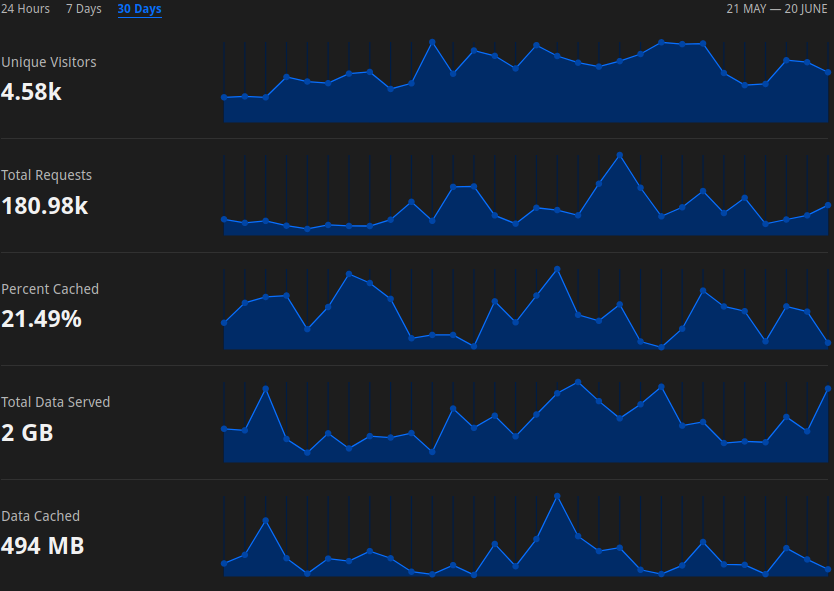
At NDIC, we take the hassle out of securing your website by handling everything from installation to renewal of SSL certificates. We primarily use Cloudflare for its numerous advantages, including robust security features, global content delivery network (CDN), and ease of integration. This ensures that your website not only remains secure but also loads quickly for users around the world.

Why Cloudflare?

Cloudflare is renowned for its reliability and scalability. By routing your website’s traffic through their network, Cloudflare can mitigate DDoS attacks, improve page load times, and enhance overall website performance. This combination of security and speed is crucial in today’s competitive online landscape. The SSL on CF ensures complete data encryption between the Browser > CDN > Server

Our Commitment to You

At NDIC, we pride ourselves on delivering exceptional service. Our expert team is dedicated to providing responsive support and technical assistance whenever you need it. Whether you have questions about SSL certificates, need help with website maintenance, or want advice on improving your online presence, we’re here to help.

Conclusion

In conclusion, investing in an SSL certificate is not just about compliance or security; it’s about safeguarding your reputation and earning the trust of your visitors. With cyber threats on the rise, taking proactive steps to protect your website and its users is more important than ever.

Remember, a secure website is a successful website. Contact us today to learn more about how we can secure your website with an SSL certificate and provide ongoing support to keep your online presence safe and thriving.

By prioritizing security and leveraging the expertise of NDIC, you’re not just protecting your website – you’re investing in the future of your business. Together, let’s build a safer and more secure internet for everyone.

Let NDIC help you navigate the complexities of website security so you can focus on what you do best – running your business.

Speed Sells: Optimizing WooCommerce for Lightning-Fast Performance

The Need for Speed in E-Commerce

In the fast-paced world of online shopping, speed isn’t just a luxury—it’s a necessity. A slow-loading WooCommerce store can cost you customers, revenue, and search engine rankings. In this comprehensive guide, we’ll delve into the critical importance of speed in the e-commerce realm and provide actionable tips to optimize your WooCommerce store for lightning-fast performance.

I. The Impact of Speed on E-Commerce Success

1. Good Speed for a Positive Experience:
User attention spans are shorter than ever, and online shoppers expect instant gratification. A fast-loading WooCommerce store ensures a positive user experience and encourages conversions.

2. Search Engine Rankings:
Search engines prioritize fast-loading websites. A slow WooCommerce store can lead to lower search rankings, affecting your visibility and organic traffic, leading to less sales.

II. Assessing Your WooCommerce Store’s Current Performance

1. Page Speed Insights:
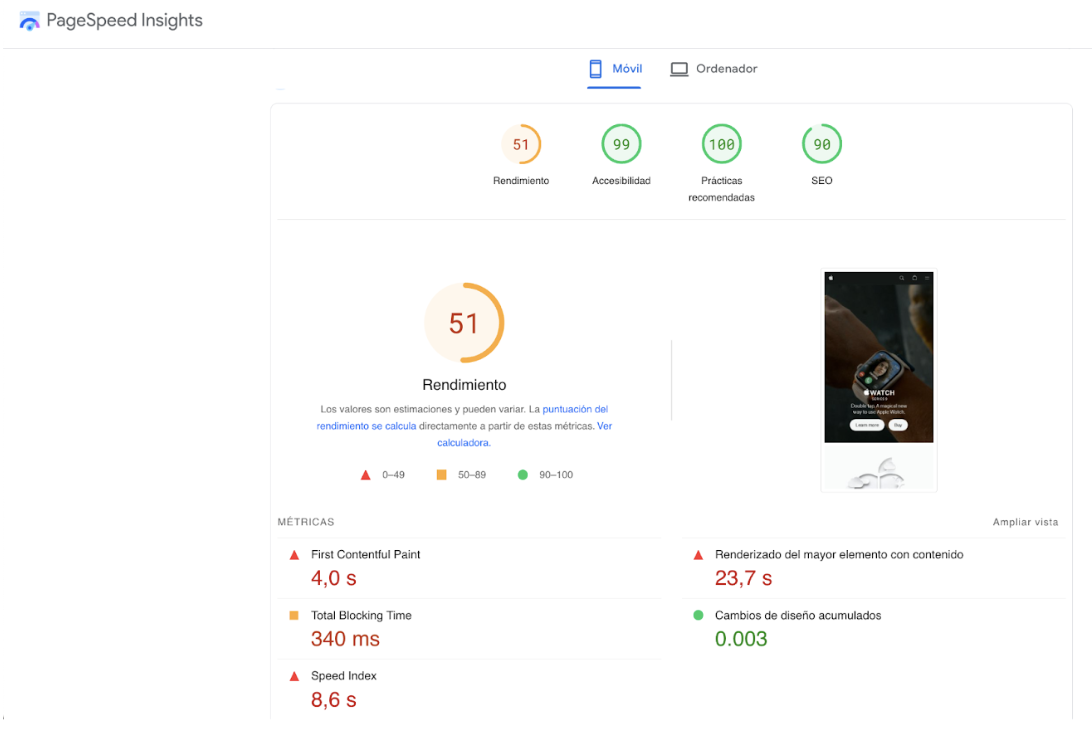
Use tools like Google PageSpeed Insights to evaluate your store’s current speed performance. Identify areas for improvement and make the necessary updates. Remember at NDIC we take your success at heart, so give us a call and we will get all hands on deck to make any improvements needed.

2. Analyzing Load Times:
Investigate specific page load times using tools like GTmetrix or Pingdom. Pinpoint bottlenecks that may be slowing down your WooCommerce store.

III. Strategies for Optimizing WooCommerce Performance

1. Optimize Images:
Large image files can significantly slow down your WooCommerce store. Use image compression tools and consider lazy loading to ensure optimal performance.

2. Utilize Browser Caching:
Enable browser caching to store static files locally, reducing the load time for returning visitors.

3. Minimize HTTP Requests:
Reduce the number of HTTP requests by combining CSS and JavaScript files. This minimizes round-trips between the server and the user’s browser.

4. Choose a Lightweight Theme:
Select a lightweight and optimized theme specifically designed for speed. Avoid themes with unnecessary features that can slow down your store.

IV. Implementing Content Delivery Networks (CDNs)

1. Understanding CDNs:
Content Delivery Networks (CDNs) distribute your website’s static content across multiple servers worldwide, reducing latency and improving load times.

2. Setting Up a CDN for WooCommerce:
Integrate a CDN with your WooCommerce store to ensure faster loading times for users across the globe.

V. Database Optimization for WooCommerce

1. Cleaning Up Unused Data:
Regularly clean up and optimize your database by removing unused data, such as old orders, draft pages or old images.

2. Indexing and Caching Database Queries:
Implement database indexing and caching to expedite the retrieval of information from your WooCommerce database.

VI. Monitoring and Maintenance Practices

1. Regular Performance Audits:
Schedule regular performance audits so you can identify issues promptly and take corrective action.

2. WordPress and Plugin Updates:
Ensure that your WooCommerce, WordPress, and plugins are always up to date. At NDIC we are experts on doing this plugin updates to our client’s sites to keep everything up to date and working smoothly. If you need our help doing this for your website, get in touch!

VII. Measuring the Impact: Analytics and User Experience

1. Google Analytics:
Monitor the impact of your speed optimizations using Google Analytics. Track engagement rates, session durations, and conversion rates to identify areas of opportunity.

2. User Feedback and Surveys:
Gather user feedback and conduct surveys to understand how speed improvements have positively influenced the user experience.

Transform Your WooCommerce Store into a Speedy Powerhouse

A lightning-fast WooCommerce store is not just a luxury—it’s a strategic advantage in the competitive world of e-commerce. By implementing the strategies outlined in this guide, you can optimize your WooCommerce store for unparalleled speed, resulting in improved user satisfaction, higher search engine rankings, and increased revenue.

Embrace the need for speed and watch your online store soar to new heights.

Keep Your Website Secure and Fast: The Benefits of PHP 8.x

Understanding PHP: The Backbone of Your WordPress Site

What is PHP? It is the scripting language upon which WordPress, and all its associated plugins, are built. Think of it as the language websites use to talk to each other. It controls how information is displayed, forms work, and plugins function. Since late 2015, the world has been on PHP version 7.x. The language was updated to version 8.0 in 2020, but it has taken several years for theme and plugin developers to upgrade their programs to this new language base.

Imagine your website as a sleek race car. It looks fantastic, runs smoothly, and keeps you ahead of the competition. But what if you never changed the oil or checked the engine? Over time, performance would suffer and breakdowns would become inevitable.

The same goes for your website’s core technology: PHP. It’s the engine that powers WordPress, the platform behind millions of websites. Just like a car, keeping your PHP version up-to-date ensures optimal performance, security, and compatibility.

Why Upgrade to PHP 8.x?

Enhanced Performance

One of the most compelling reasons to upgrade to PHP 8.x is the significant boost in performance. Websites running on PHP 8.x can handle more requests per second compared to those on PHP 7.x, leading to faster load times and a better user experience. This improvement is crucial for maintaining visitor engagement and reducing bounce rates.

Improved Security

Security is a paramount concern for any website owner. As version 7.x is soon to become unsupported, it is critical that your site be upgraded to 8.x. Without updates, older versions of PHP become vulnerable to security breaches and exploits. By upgrading, you ensure that your site remains protected against the latest threats, safeguarding your data and your users’ information.

New Features and Better Code

PHP 8.x introduces a range of new features and improvements that make coding more efficient and reliable. These enhancements help developers write cleaner, more maintainable code, which translates to fewer bugs and a more stable website. This is particularly important for complex sites with multiple plugins and custom functionalities.

Reasons to upgrade NOW

We have waited until now so that most every viable theme and plugin supports this new version, lowering the risk of fallout. If your site is running older plugins that don’t support this new version of PHP, further remediation may be necessary. It’s essential to ensure that all elements of your site are compatible with PHP 8.x to avoid any disruptions or functionality issues.

As of July 31st, version 7.x will become unsupported, making it essential that your site be upgraded to 8.x.

Upgrade Made Easy (At NDIC, we’ve got every step covered for you)

  1. Backup Your Site: Before making any changes, ensure you have a complete backup of your website. This includes the database, themes, plugins, and media files.
  2. Check Compatibility: Use tools or plugins to check the compatibility of your themes and plugins with PHP 8.x. Update any that are out-of-date or find alternatives if necessary. WP Boom is a great tool that will allow you to easily detect any visual changes.
  3. Test on a Staging Site: Implement the upgrade on a staging site first. This allows you to identify and fix any issues without affecting your live site.
  4. Upgrade PHP: Once you’re confident everything is compatible, proceed with the upgrade on your live site. This can typically be done through your hosting provider’s control panel.
  5. Monitor Your Site: After upgrading, closely monitor your site for any unexpected behavior or errors. Address any issues promptly to ensure a smooth transition.

Upgrading to PHP 8.x is not just a recommendation; it’s a necessity. It ensures your site remains secure, performs well, and leverages the latest features and improvements. By keeping your PHP version up-to-date, you’re investing in the long-term health and success of your website.

At NDIC, we offer comprehensive website design, management, and managed WordPress hosting. Keeping your website’s PHP version up-to-date is a critical part of our service. We’ll handle the upgrade process seamlessly, ensuring your website remains secure, fast, and future-proof.

If you still have questions on this update, or would like to talk more about your website, contact our client services team!

Everything you need to know about WordPress Themes

At NDIC, a leading and experienced WordPress company, we understand the importance of selecting the right theme for your website. Your choice of theme can significantly impact your site’s performance, appearance, and user experience. This comprehensive guide will cover everything you need to know about WordPress themes, from their types and features to customization options and best practices.

Before we get started.. What are WordPress Themes?

A WordPress theme is a collection of templates and stylesheets used to define the appearance and display of a WordPress-powered website. Themes can be added, removed, or changed at any time without affecting the content or structure of your site. They provide a flexible way to alter the look and feel of your site without needing extensive coding knowledge.

Types of WordPress Themes

1. Free Themes:

Free themes are available in the WordPress theme repository. They are a great starting point for beginners or those on a tight budget. However, free themes often come with limited features and support.

2. Premium Themes:

Premium themes, available from marketplaces like ThemeForest and Elegant Themes, offer more advanced features, regular updates, and dedicated support. They are ideal for businesses looking for a professional and polished appearance.

3. Custom-Made Themes:

Custom-made themes are designed specifically for your website. They offer complete flexibility and are tailored to meet your unique requirements. At NDIC, we specialize in custom-made WordPress themes that align with your brand identity and business goals.

While commercial themes offer a quick and affordable solution, they often fall short in the long run.


Key Features to Look for in a WordPress Theme

When selecting a WordPress theme, consider the following features to ensure it meets your needs:

1. Responsiveness:

A responsive theme adjusts its layout across different devices, ensuring a seamless user experience on desktops, tablets, and smartphones.

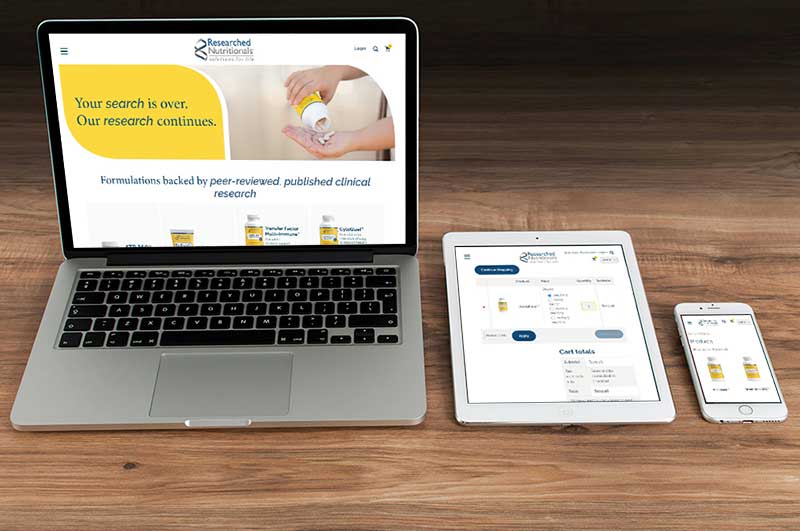
Responsive-design and mobile friendly websites

2. Customization Options and Unique looks:

Look for themes that offer customization options, such as color schemes, fonts, and layout choices. This allows you to tailor the theme to match your brand’s aesthetic. A custom theme sets you apart. We work closely with you to understand your brand identity, target audience, and desired user experience. This translates into a website that’s truly unique, reflecting your brand’s personality and values. Think of it as your virtual flagship store, designed to attract and engage your ideal customers.

Commercial themes are often packed with features, many of which you might never use. This can lead to a cluttered and confusing user experience. A custom theme focuses on the functionalities that truly matter to your business. Do you need a robust eCommerce platform? A reservation system for your restaurant? A membership portal? We custom build these functionalities seamlessly into your theme, ensuring your website works exactly the way you envisioned.

3. SEO-Friendly:

An SEO-friendly theme is crucial for improving your site’s visibility on search engines. Ensure the theme follows best practices for SEO, such as clean code, fast loading times, and mobile optimization. While some commercial themes may boast SEO-friendliness, it’s often a one-size-fits-all approach. A custom theme gives you complete control over your website’s structure and code, allowing for optimal SEO implementation. We integrate best practices to enhance search engine visibility, helping your target audience find you more easily.

4. Compatibility with Plugins:

Ensure the theme is compatible with popular WordPress plugins like Yoast SEO, WooCommerce, and Contact Form 7. This will enhance your site’s functionality without the need for extensive development work.

5. Regular Updates and Support:

Choose a theme that is regularly updated to keep up with the latest WordPress versions and security patches. Reliable support is also essential for troubleshooting any issues that may arise. With commercial themes, you’re often left to troubleshoot issues on your own. At NDIC, we believe in long-term partnerships. Our WordPress experts provide ongoing support, ensuring your website remains functional and secure. We’re always here to answer your questions, address any technical problems, and offer guidance as your website evolves.

6. Scalability for Future Growth:

Your website should grow alongside your business. Commercial themes might struggle to adapt to your evolving needs. A custom theme is built with scalability in mind. We consider your future goals during the design process, ensuring the theme can accommodate new features, functionalities, and content seamlessly.

The Custom Advantage: A Lasting Investment

Sure, a commercial theme might seem like a budget-friendly option initially. However, the limitations, lack of customization, and potential future limitations often result in the need for a redesign later on. A custom theme is an investment that pays off in the long run. You’ll have a website that truly represents your brand, attracts your ideal customers, and grows with your business.

Ready to Craft Your Dream Website?

We’re passionate about creating visually stunning and functionally exceptional WordPress websites. We take the time to understand your brand, goals, and target audience to deliver a custom theme that exceeds your expectations.

Get a Quote Today!

Contact us today for a free consultation to discuss your vision and explore how we can bring it to life with a custom WordPress theme. Let’s build a website that sets you apart from the competition and fuels your business success!


Trusted by These Great Companies

Tell us about your website needs - we’d like to hear from you!

What's New

When SaaS Stops Scaling: The Case for Custom Software

Most mid-market businesses hit the same wall around year five of growth. They've built their entire operation on top of… more

Why Most Companies Are Approaching AI Backwards (And How to Fix It)

Most companies buy an AI tool first and try to fit it into their business afterward. That order rarely works.… more

Read All