
- Access your cPanel account.
- Email Account Creation.
Navigate to the “Email” section and select the “Email Accounts” option.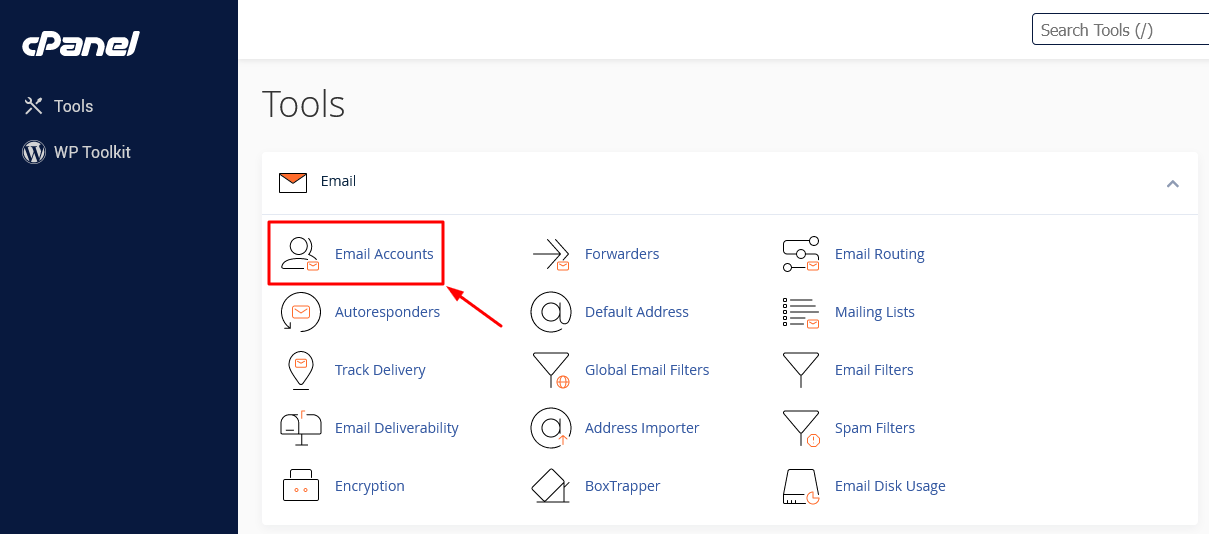
Press the “+Create” button to start setting up a new email account.

- Provide Account Details.
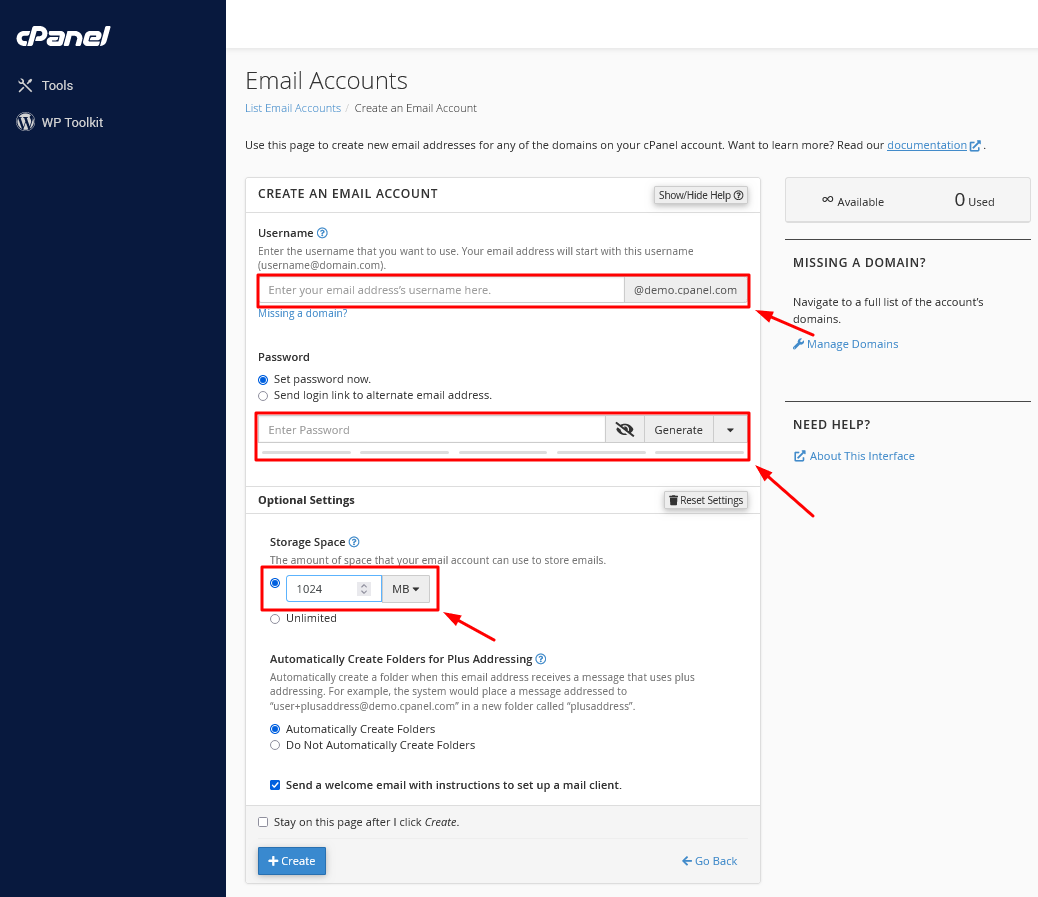
A new screen will appear where you’ll need to fill in the following details:– Username: Choose a username for your new email account and, if prompted, pick the domain from the available dropdown menu (if there’s only one domain, it’ll be chosen automatically).
– Password: Specify a password for your new email account.
– Storage Space: You have the option to set a storage limit in MB for your email account or select the “Unlimited” option if you prefer not to have a storage limit.
- Finalize Account Creation.
Click the “+Create” button to finalize the setup of your new email account.
Your new email account is now ready for use.










Rob Fry,
Sales and Marketing Team Leader